


Gist
GPT4All provides a way to run Large Language Models locally without requiring a GPU, internet connection or paid API.The experiment explores using GPT4All with Python and a Llama 2 7B chat model with 2-bit quantization.

Running AI locally without a GPU: My experience with GPT4All and Python
Whenever we talk about Large Language Models, the first thing that usually comes to mind is using an API or a cloud-based AI service.
But when I started exploring local LLMs, I had a different question.
Can I run an AI model on my own system without a GPU, without an internet connection and without paying for an API?
That is what made GPT4All interesting to me.
GPT4All is a locally running chatbot that can work without a GPU or an internet connection. It also provides Python bindings, which means we can use locally running language models directly from a Python application.
For someone who wants to experiment with LLMs without immediately getting into GPUs, cloud infrastructure or API costs, this is a pretty interesting place to start.
You don't need to be a deep learning expert either. A basic understanding of Python and some curiosity is enough.
Getting started with GPT4All
For this experiment, I used the Python bindings provided by GPT4All.
The package can be installed using:
pip install gpt4all==1.0.6
I also used:
pip show gpt4all
pip install nomic
I stayed with the specific GPT4All version used in this experiment because different versions can have different model compatibility.
Since the objective was to run the model locally using CPU, I was particularly interested in models available in formats such as GGML and GGUF.
These formats are designed to make running LLMs on local hardware more practical.
The models can be downloaded from Hugging Face, and the important thing here is to choose a model that matches the hardware you have.
A bigger model isn't automatically a better choice if your machine doesn't have enough RAM to run it comfortably.
Choosing the model
For this experiment, I used a Llama 2 7B chat model with 2-bit quantization.
The reason for choosing a smaller quantized model was simple.
I wanted to see what we could actually do with a local model using CPU and without relying on a GPU.
Quantization reduces the amount of memory required by the model by representing its weights using fewer bits.
There is a trade-off.
Smaller quantized models can be easier and faster to run on local hardware, but they can also lose some accuracy compared with larger models.
So, as with most things in AI, there is a balance between model size, memory, speed and accuracy.
For experimentation, a smaller model is a good place to start.

Let's run the model
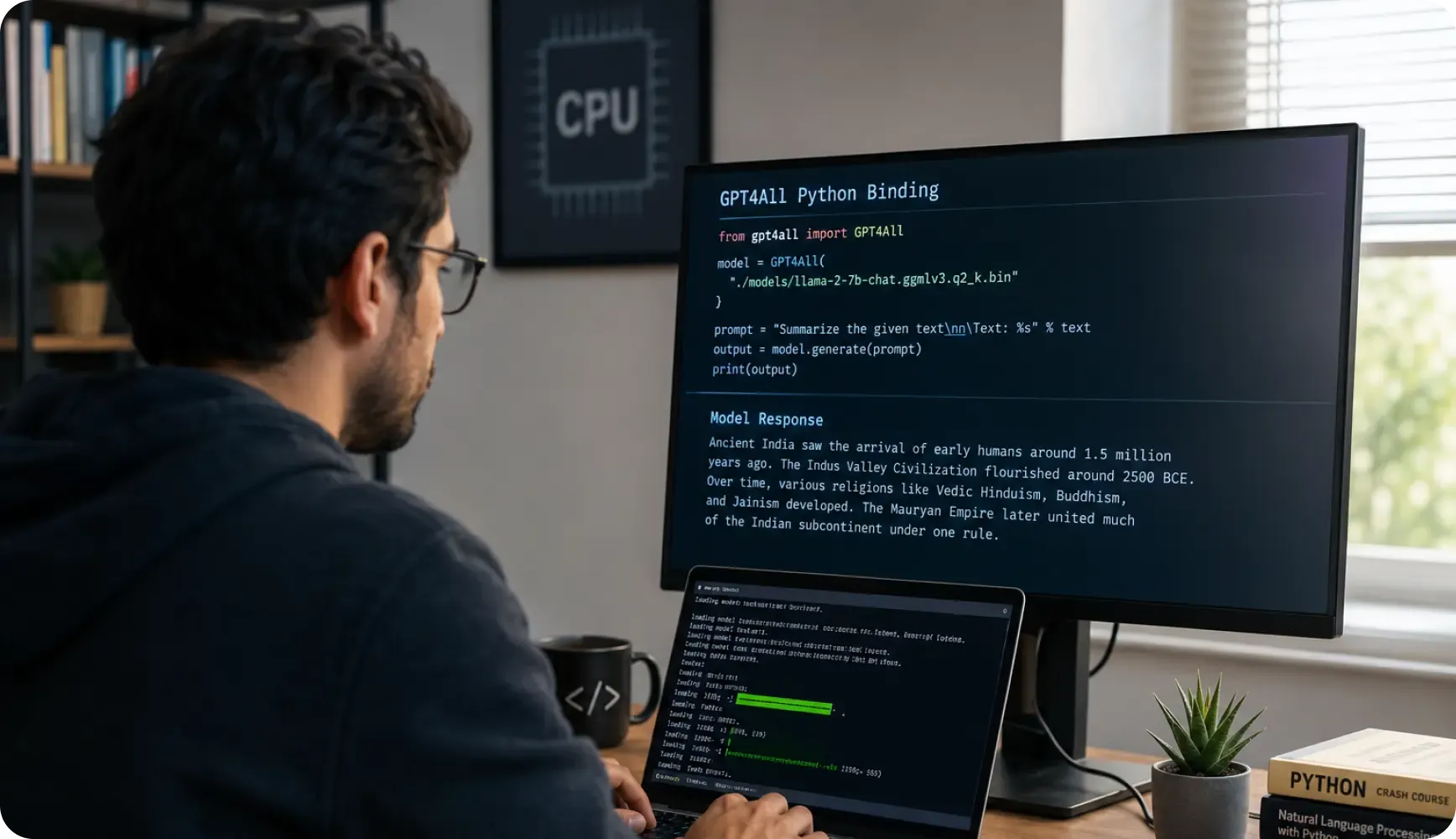
Once the package and model were available, loading the model from Python was quite straightforward.
from gpt4all import GPT4All
model = GPT4All(
"/content/drive/MyDrive/My_System_LLM/text-generation-webui/models/llama-2-7b-chat.ggmlv3.q2_K.bin"
)
Now that the model was initialized, I wanted to see what it could actually do.
Instead of starting with a complicated use case, I decided to give it something simple first.
A long piece of text from a Wikipedia article about Ancient India.
The idea was to ask the model to summarize the content.
prompt = "Summarize the given text \n\n Text:%s"
prompt_query = prompt % text
output = model.generate(prompt_query)
print(output)
The response took a few minutes because the model was running locally using CPU and had to process a relatively large amount of text.
But it worked.
The model was able to identify the major points from the article and produce a shorter summary covering the arrival of early humans in India, the Indus Valley Civilization, the development of different religions and the rise of the Mauryan Empire.
The response wasn't instantaneous.
But that wasn't what I was trying to prove.
The interesting part was that the entire process happened locally using CPU resources.
No GPU.
No API call.
No cloud service.

What I found interesting
This experiment made me look at local AI models slightly differently.
When we use ChatGPT or another cloud-based AI service, most of the infrastructure is hidden from us. We send a prompt and get a response.
Running a model locally makes you think about what is happening behind that response.
How much memory does the model need?
How large is the model?
How quickly can the CPU process it?
What happens when I increase the size of the input?
These questions become much more visible when the model is running on your own machine.
And that is probably one of the biggest advantages of experimenting locally.
You get to understand the technology rather than simply consume it.
Where can this be useful?
I don't think local LLMs are the answer for every AI application.
If you need very high accuracy, complex reasoning or large-scale production workloads, larger cloud-based models may still make more sense.
But there are situations where running an AI model locally can be useful.
For example, applications where privacy, offline access, cost or control over the environment are important.
You can experiment with prompts without paying for every API call.
You can also process information locally instead of automatically sending it to an external service.
For developers who are still learning about LLMs, it is also a useful way to experiment without needing access to expensive hardware.
My take
The biggest takeaway for me wasn't that GPT4All could summarize a Wikipedia article.
It was that a relatively small language model could run on a normal system using CPU and still perform a useful task.
That changes the way we think about experimenting with AI.
We don't always need a powerful GPU sitting on our desk.
We don't always need to start with an API.
Sometimes, downloading a smaller model and running it locally is enough to understand what these models can actually do.
There are obviously limitations. Larger models need more resources, and running everything through CPU can make the response slower. The quality of the output can also vary depending on the model and the task.
But that's part of the learning process.
The best way to understand AI is sometimes to stop using it as a service and run it yourself.
That was my biggest takeaway from experimenting with GPT4All.

